By Onombongo, for whoever does the shopping
Take the list to the market and close the purchase with the right total.
Build the list at home, tick what goes in the basket, type the prices and see the total at every step. With no signal, it keeps working.
iOS coming soon
- In testing on Google Play
- Works offline
- Portuguese, English and Italian
How it works
From the list to the closed purchase
From the market to Onombongo, always on your phone and within thumb reach.
1. Lists and templates
One list for every shopping trip
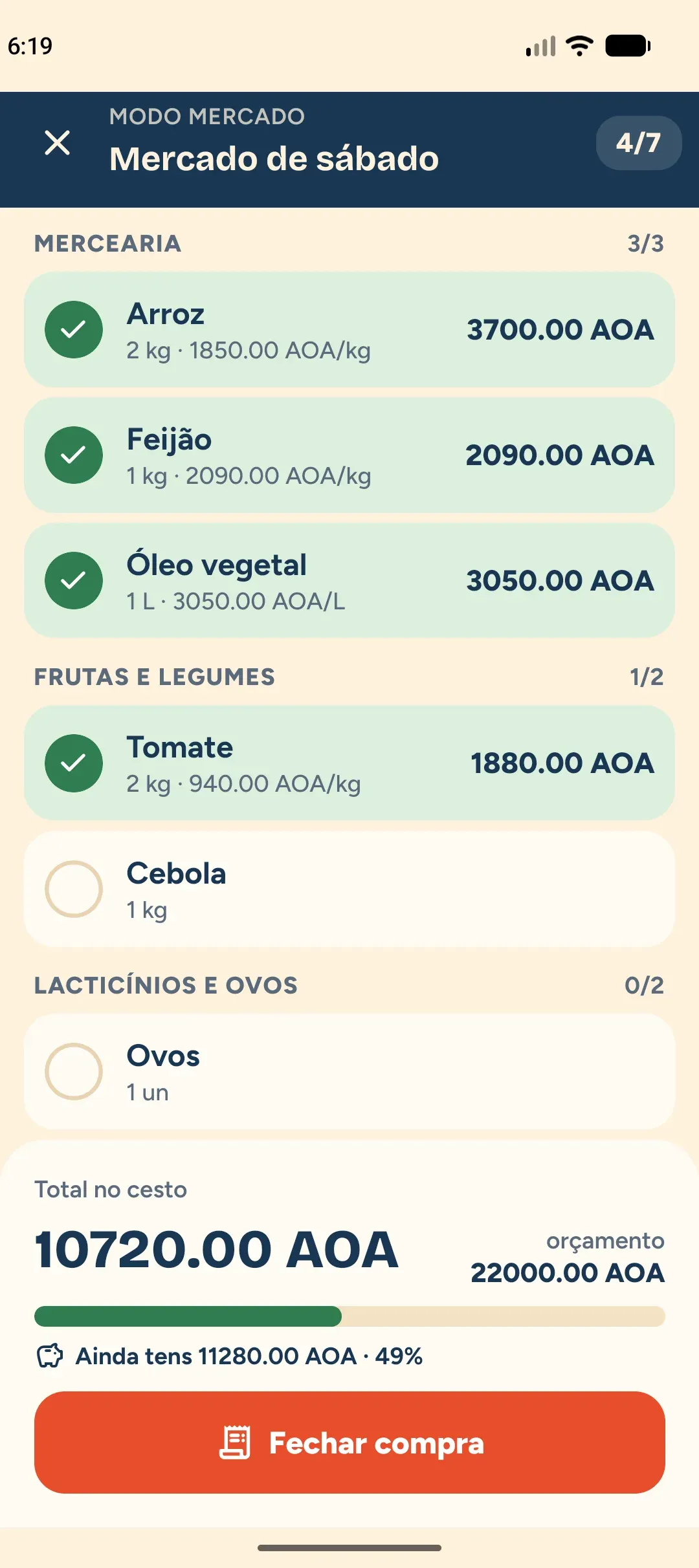
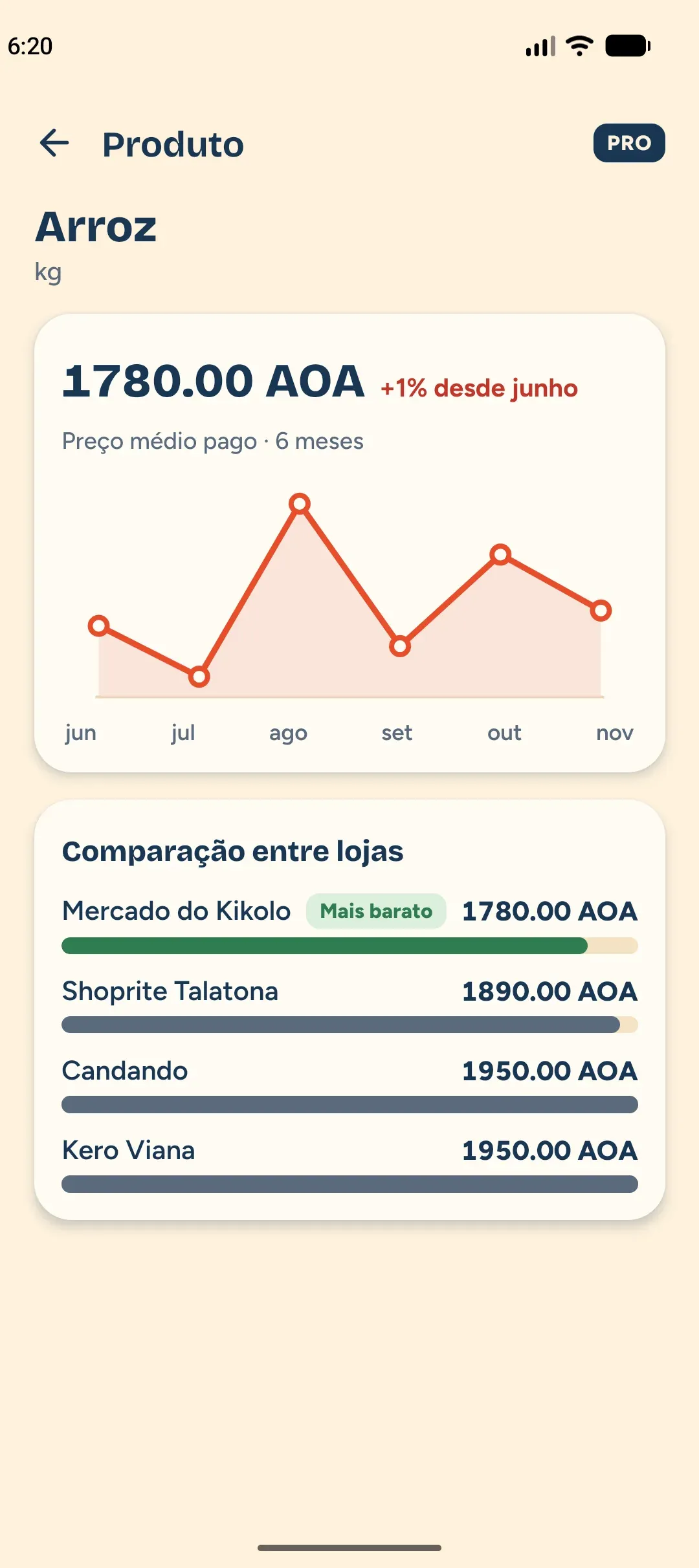
Create lists with products, quantity and unit. What you repeat every week stays saved as a template.
- Items with quantity and unit, grouped by section.
- Save a list as a template and create new lists from it.
- Each list has its own currency and, if you want, a budget.
2. Market mode
At the market, tick and type the price
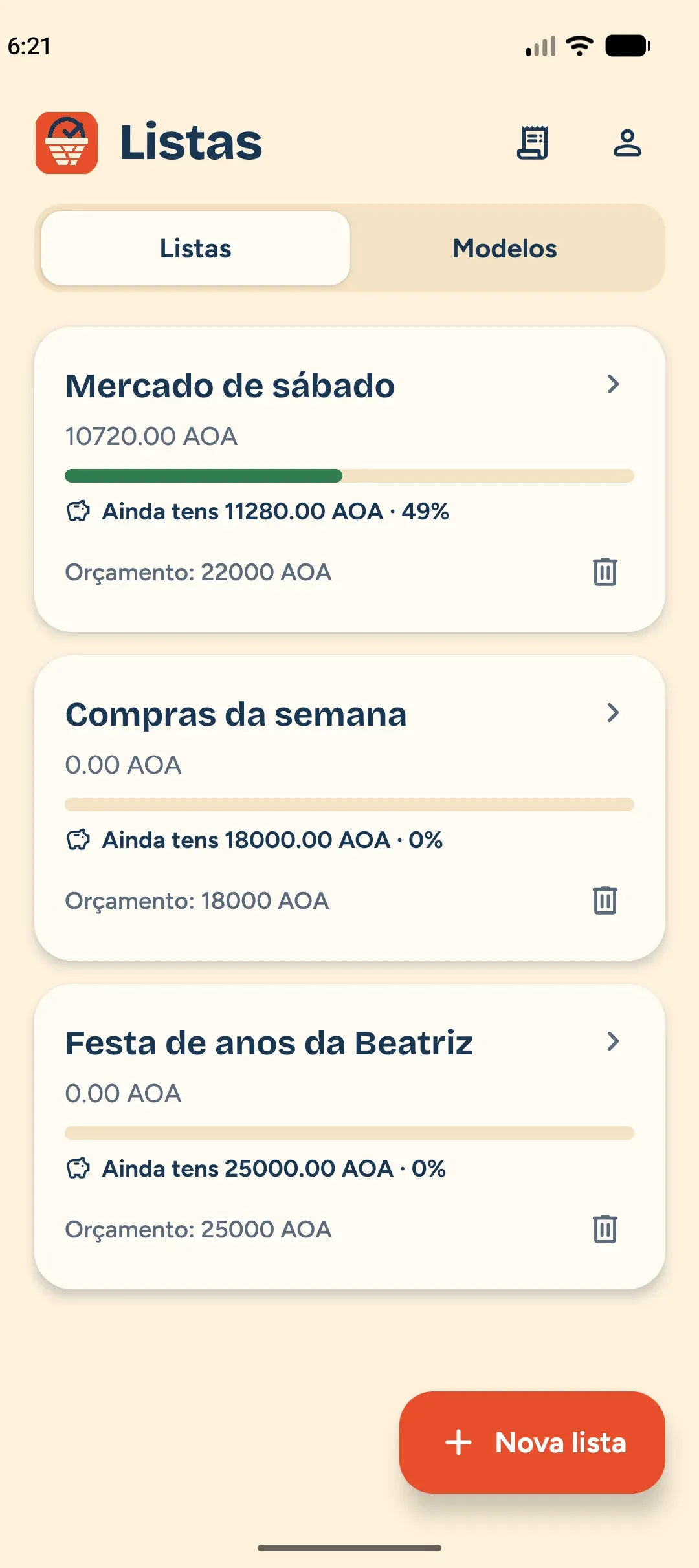
Tick what you already put in the basket and type the price. The total updates with every item and the screen has no ads.
- Price per unit, per kilo or line total.
- Add items that were not on the list.
- Counter per group and the basket total always in view.
3. Close the purchase
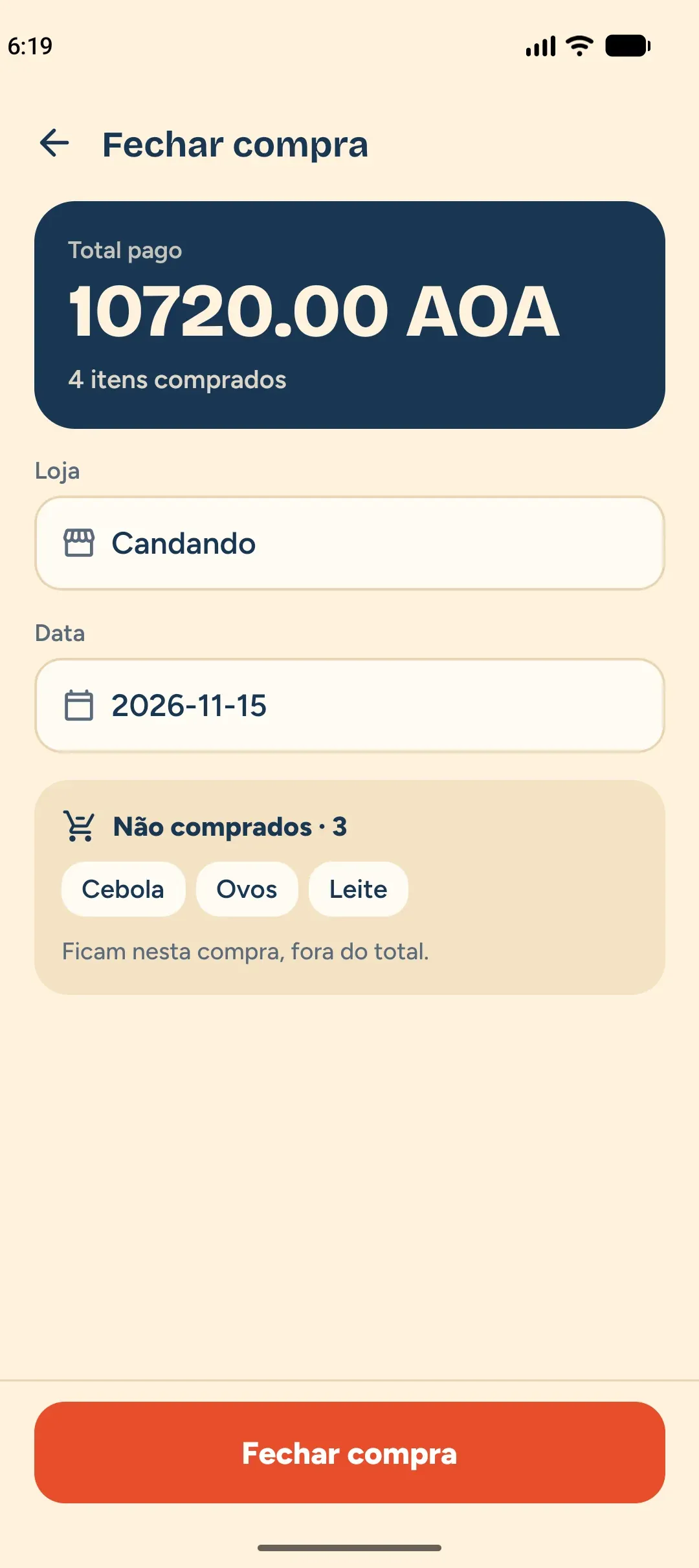
Close it with the store, the date and the total
At the end, say where you bought and when. Only bought items count towards the total; the rest stay on the list for the next trip.
- The store autocompletes from your stores.
- Items not bought stay out of the total.
- Send it to Onombongo right away or leave it for later.
Budget with a warning
The budget warns you before you go over
Set a budget on the list. The bar changes colour and Kisumbu warns you when you reach 80% and when you go over it.
- Green up to 80%, amber from 80%, red above 100%.
- The warning shows on the list and in Market mode.
- The budget is optional.
Budget bar example
Saturday market · Budget: 22,000 Kz
Example values, to show the three colours.
Catalogue
Your products, groups and stores
Kisumbu learns from what you type. Products, groups, units and stores stay in your catalogue and show up as suggestions while you type.
- Product suggestions while you type.
- Editable base groups and your own units.
- Personal stores, completed when you close the purchase.
Prices over time
See how prices change and where it is cheaper
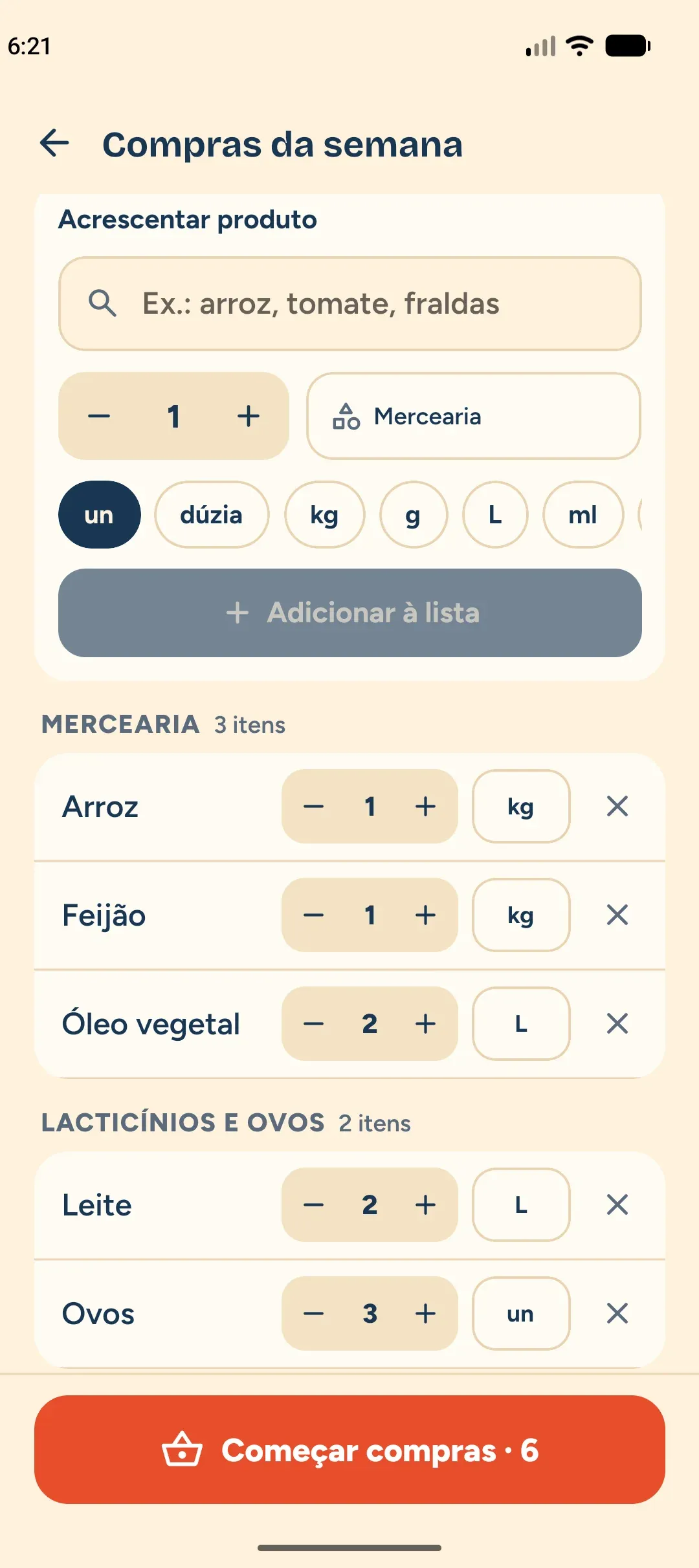
On the Pro plan, every product has its price history and a comparison between stores, based on the purchases you already made.
- Price history of each product: date, store and price per unit.
- Comparison of the latest price of the same product in each store.
- Suggestions of the products you usually buy.
Works offline
Where there is no signal, the shopping goes on
Market mode keeps everything on your phone. When the connection returns, Kisumbu syncs safely.
Offline, saved on the phoneTick and type
Tick items and type prices as usual.
Stays on the phone
Everything is saved on the device, nothing is lost.
Syncs later
With a connection, changes go up on their own.
From Kisumbu to Onombongo
Send the purchase as an expense, no typing it again
A closed purchase can go to Onombongo as a single expense, in the account and category you choose. Nothing is sent without your confirmation.
Close the purchase
Store, date and total.
Choose the account
Only accounts in the purchase currency show up.
Choose the category
Ondunge can suggest one, on the Pro plan.
Confirm
The expense appears in Onombongo.
Every purchase shows its status
- Sent
- Pending
- Deleted in Onombongo
- To send
If you edit or delete the purchase, the expense follows. If the expense is deleted in Onombongo, Kisumbu tells you and lets you choose: send again or delete.
History and reports
Know what you bought, where and how much you spent
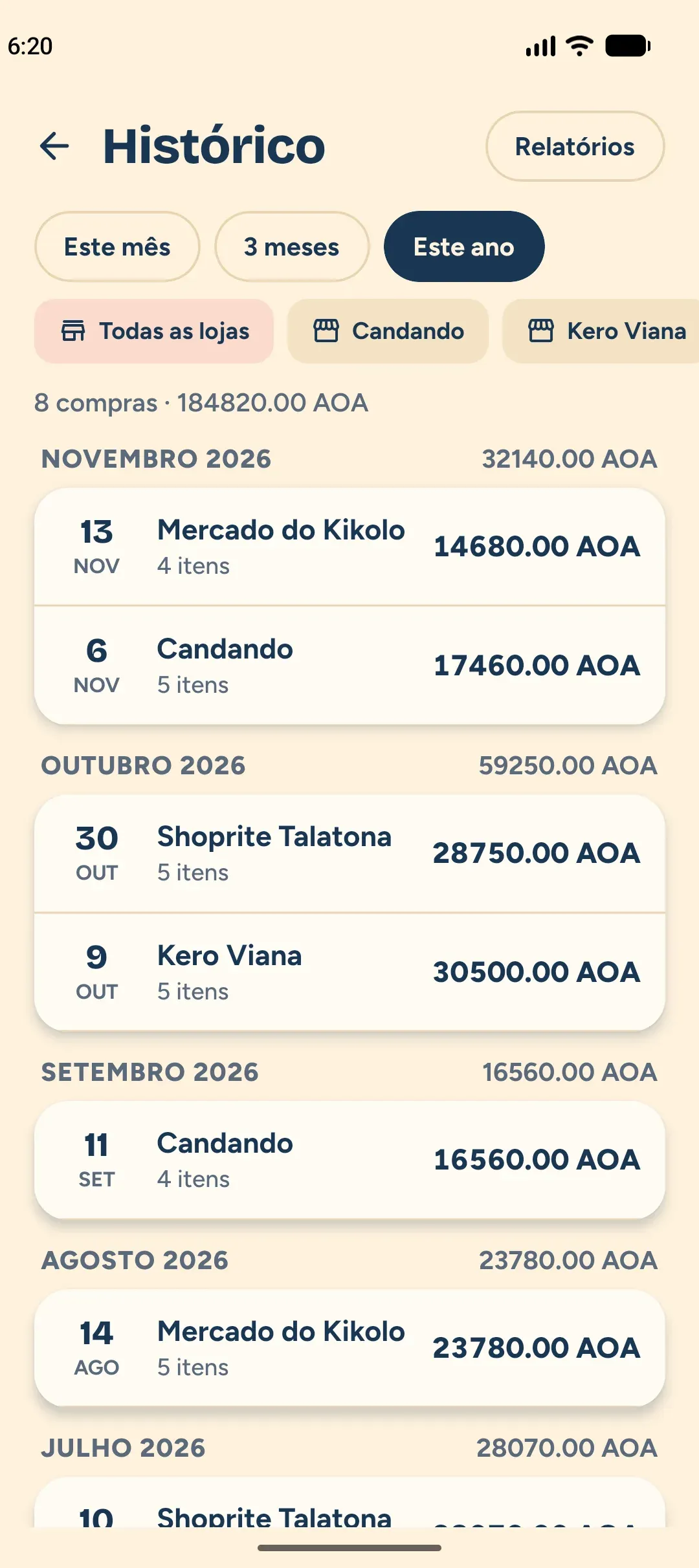
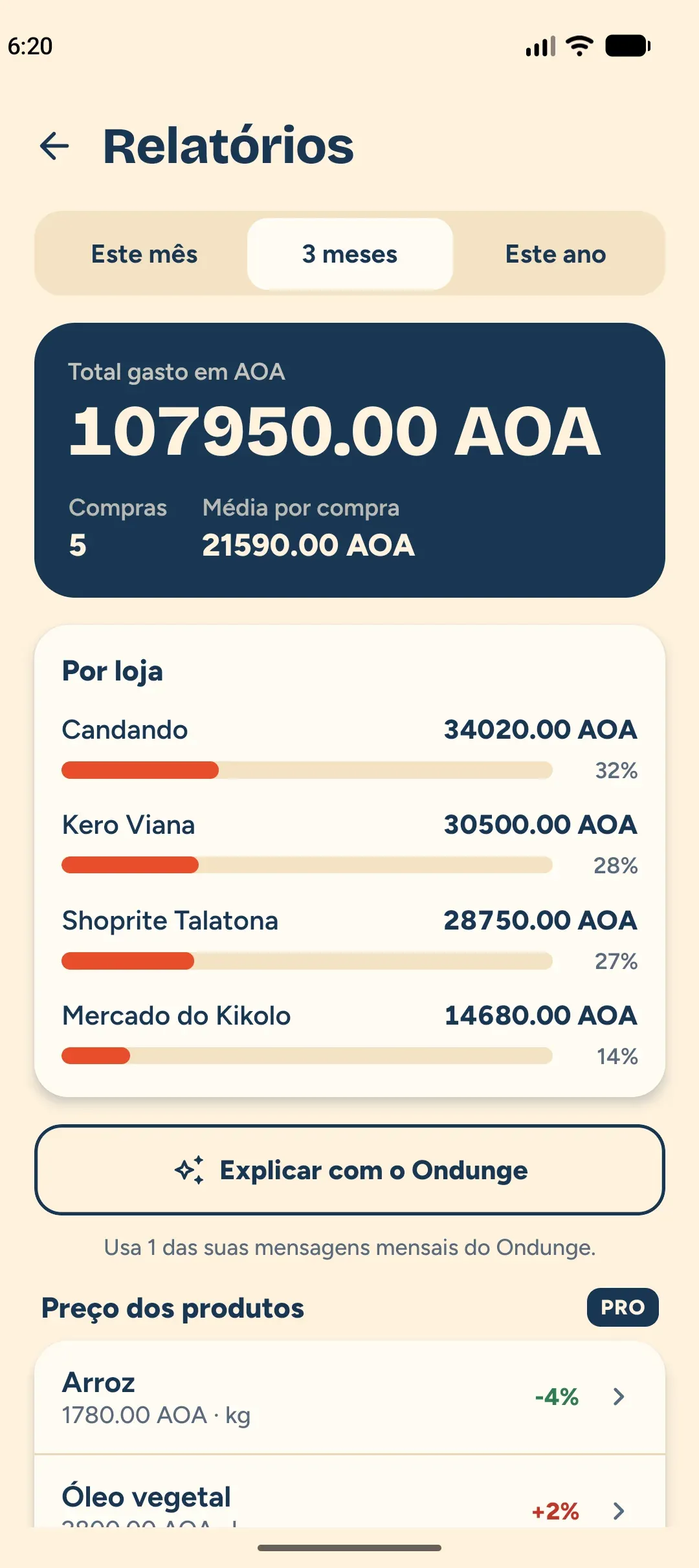
The history shows purchases by month and by store. Reports give the total per period and per store, always by currency, never mixing different currencies.
- History you can filter by period and by store.
- Total, number of purchases and average per purchase.
- With Pro, Ondunge helps you understand the reports.
Free and Pro
The essentials are free. Pro goes further.
Lists and Market mode with no limits on the Free plan. Pro features can be unlocked for one day by watching an ad.
Free
- Lists, templates and Market mode with no limits.
- History for the last 3 months.
- Ads on the lists, history and reports screens.
- Watching an ad unlocks the Pro features for 1 day.
Pro
PRO- Full history.
- Price history and comparison between stores.
- Suggestions of the products you usually buy.
- Ondunge: suggested category and help with the reports.
- No ads.
One ad, one day of Pro
Watch an ad to the end and use the Pro features for 1 day. The unlock does not include Ondunge.
The products, amounts and stores of your purchases are never sent to the ad network. The Pro subscription is the same as in Onombongo.
One account, two products
Sign in with your Onombongo account
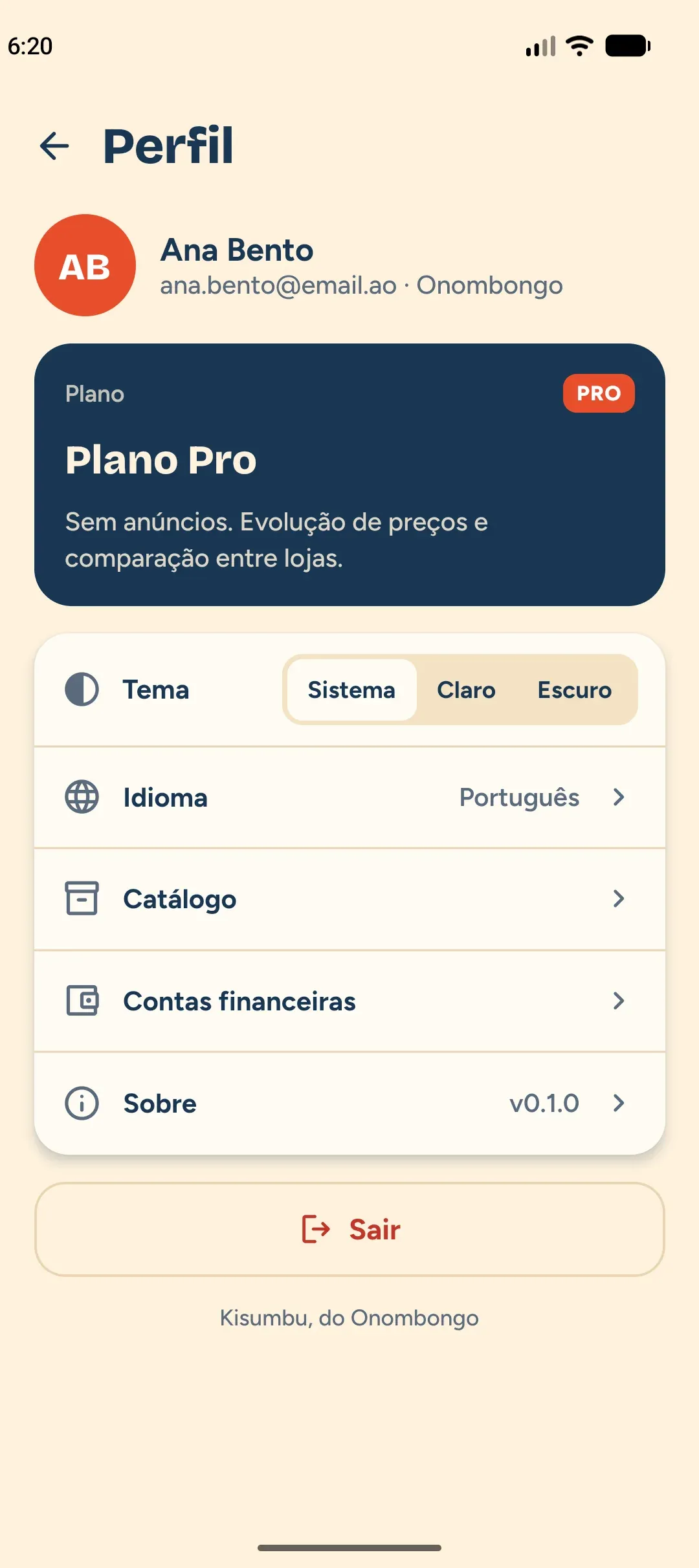
Already use Onombongo? Sign in with the same account. New here? Create an account straight in Kisumbu. Your financial accounts and categories are the Onombongo ones and the Pro plan works in both.
- Sign in with email and password, or with Google.
- You can delete your account and data inside the app.
- The theme follows your phone, light or dark.
Frequently asked questions
Is Kisumbu free?
The Free plan has the essentials: lists, templates and Market mode, with the last 3 months of history and ads. The Pro plan, the same as Onombongo, unlocks the full history, the price history and the comparison between stores, and has no ads.
Does it work offline?
Yes. Market mode keeps working where there is no signal and syncs when the connection returns.
Do I need an Onombongo account?
You need an account, and it is the Onombongo one. If you already have it, sign in with it. If not, create it in Kisumbu itself.
What happens when I send the purchase to Onombongo?
A single expense with the total appears in Onombongo, in the account and category you choose. Nothing is sent without your confirmation. If you edit or delete the purchase, the expense follows.
Does my data go to the ads?
No. The products, amounts and stores of your purchases are never sent to the ad network. On the Free plan, Google ads (AdMob) are shown, with your consent where the law requires it. The Pro plan never has ads.
Can I delete my account?
Yes, in Profile, under "Delete account". This deletes the Onombongo account and the Onombongo and Kisumbu data, and cancels the Pro subscription. It cannot be undone.
In which currencies can I shop?
Each list has its own currency. Totals and reports are always by currency, never adding different currencies together.
Where can I download it?
Kisumbu is in testing on Google Play, for Android. iOS comes later.
Do your next market trip with the right list
Download Kisumbu, build the list at home and close the purchase with the right total.
In testing on Google Play. iOS coming soon.